Joe Archondis
June 25, 2026 · 10 min read
AI Agents & RAG
MCP Server Setup with Claude: A Practical Guide
Last year I had three separate Claude agents all querying the same Postgres database. Each one had its own tool definitions, its own connection string, its own timeout handling. When the schema changed, I updated three files. When I added logging, I did it in three places.
That's exactly what MCP fixes. Define the tools once in a server, and every client discovers them automatically. One place to change things. One place where bugs live. It sounds obvious — and it should, because it is.
This is a practical walkthrough: how to set up an MCP server in Python, connect it to Claude Desktop for testing, and wire it into production agent code. No framework opinions, just the actual setup.
What MCP Actually Is
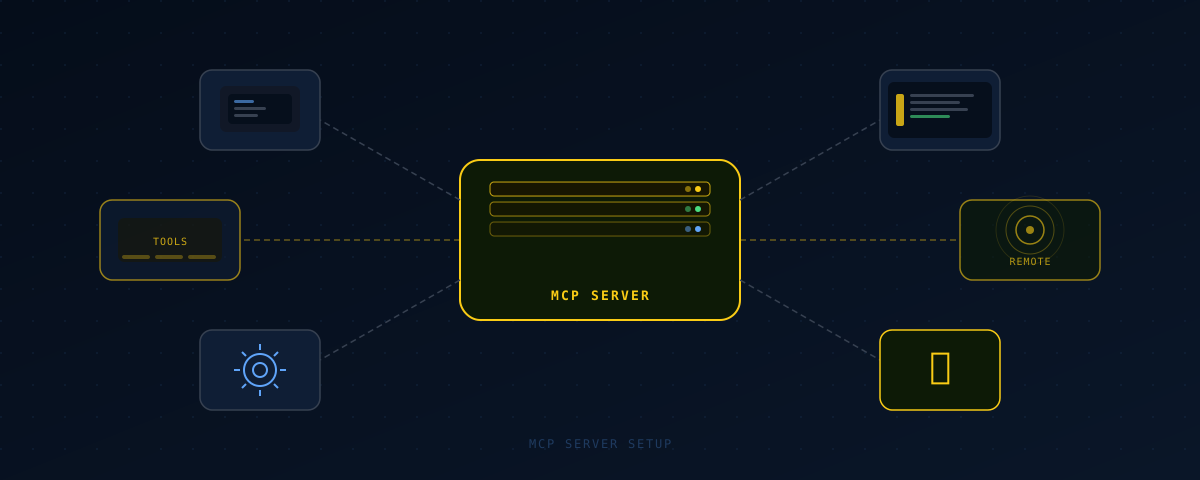
The Model Context Protocol is an open standard Anthropic published for connecting AI models to external tools and data. The architecture is two-sided: servers expose capabilities, clients consume them.
A server can define three types of things. Tools are functions the model can invoke — database queries, API calls, computations. Resources are data the model can read — files, database records, external feeds. Prompts are reusable template sequences. For most production use cases, tools are the only thing you need.
Clients — Claude Desktop, Claude Code, or your own application — connect to a server, discover what it exposes, and make those capabilities available to the model. The model decides which tools to call based on the conversation context and the tool descriptions you provide.
Two transport options. Stdio launches the server as a child process and communicates over stdin/stdout. Zero network configuration, works locally. HTTP/SSE hosts the server as a network endpoint with Server-Sent Events for streaming. Use stdio for local development and personal tooling. Use HTTP/SSE when the server needs to be deployed to the cloud or accessed from multiple machines.
Setting Up Your First MCP Server
Install the MCP package: pip install mcp. FastMCP is the quickest way to define tools without boilerplate.
Here's a server that exposes two tools for querying restaurant operations data — the same pattern I used for the ShawaMama ops bot:
from mcp.server.fastmcp import FastMCP
import psycopg2
import os

mcp = FastMCP("ops-server")

@mcp.tool()
def get_location_sales(location_id: str, date: str) -> dict:
    """Get daily sales data for a specific restaurant location.

    Args:
        location_id: The location identifier (e.g., 'paris-1')
        date: Date in YYYY-MM-DD format
    """
    conn = psycopg2.connect(os.environ["DATABASE_URL"])
    cur = conn.cursor()
    cur.execute(
        "SELECT revenue, covers, avg_ticket FROM daily_sales "
        "WHERE location_id = %s AND date = %s",
        (location_id, date)
    )
    row = cur.fetchone()
    conn.close()
    if not row:
        return {"error": f"No data for location {location_id} on {date}"}
    return {
        "location_id": location_id,
        "date": date,
        "revenue": float(row[0]),
        "covers": int(row[1]),
        "avg_ticket": float(row[2])
    }

@mcp.tool()
def list_locations() -> list:
    """List all active restaurant locations."""
    conn = psycopg2.connect(os.environ["DATABASE_URL"])
    cur = conn.cursor()
    cur.execute("SELECT id, name, city FROM locations WHERE active = true")
    rows = cur.fetchall()
    conn.close()
    return [{"id": r[0], "name": r[1], "city": r[2]} for r in rows]

if __name__ == "__main__":
    mcp.run()
Three things worth noting. FastMCP infers the tool schema from your function signature — type hints map directly to JSON Schema types, and you don't write schema definitions by hand. The docstring becomes the tool description, which is what Claude uses to decide whether to call the tool. And the return type doesn't need a schema; FastMCP serializes it automatically.
Good tool descriptions matter more than good implementations. If the description is vague, the model calls the wrong tool or passes the wrong arguments. Write descriptions that answer one question: when should this tool be called, and what does each parameter mean?
Connecting to Claude Desktop
Claude Desktop picks up MCP servers from a config file. On macOS, the path is ~/Library/Application Support/Claude/claude_desktop_config.json. On Windows: %APPDATA%\Claude\claude_desktop_config.json.
{
  "mcpServers": {
    "ops-server": {
      "command": "python",
      "args": ["/path/to/ops_server.py"],
      "env": {
        "DATABASE_URL": "postgresql://user:pass@localhost/mydb"
      }
    }
  }
}
Restart Claude Desktop after saving. Open a new conversation and look for a hammer icon in the toolbar — that confirms the server connected and tools loaded. Ask Claude "what tools do you have?" and it'll list them with descriptions pulled from your docstrings.
I keep a dev MCP server running locally that points at my staging database. Fastest way to test tool behavior before writing integration tests. Ask Claude to call a specific tool with specific inputs, check what comes back, and iterate in seconds instead of running test files.
Claude Code also supports MCP servers via the same config format. Useful for exposing project-specific tools — a database inspector, a deploy trigger, a log fetcher — directly inside your development environment.
Production Architecture: MCP + Anthropic SDK
Claude Desktop is for development. Production agents are Python code using the Anthropic SDK.
The pattern I use: tool implementations live in a shared module. The MCP server imports from it, and so does the production agent. You get Claude Desktop testability during development, and a clean direct path at runtime — no MCP client overhead in the production call path.
# shared_tools.py — logic lives once
def get_location_sales(location_id: str, date: str) -> dict:
    # ... DB query
    pass

def list_locations() -> list:
    # ... DB query
    pass


# mcp_server.py — dev and testing interface
from mcp.server.fastmcp import FastMCP
from shared_tools import get_location_sales, list_locations

mcp = FastMCP("ops-server")
mcp.tool()(get_location_sales)
mcp.tool()(list_locations)

if __name__ == "__main__":
    mcp.run()


# agent.py — production, Anthropic SDK directly
import anthropic
import json
from shared_tools import get_location_sales, list_locations

client = anthropic.Anthropic()

TOOLS = [
    {
        "name": "get_location_sales",
        "description": "Get daily sales data for a specific restaurant location.",
        "input_schema": {
            "type": "object",
            "properties": {
                "location_id": {"type": "string"},
                "date": {"type": "string", "description": "YYYY-MM-DD format"}
            },
            "required": ["location_id", "date"]
        }
    },
    {
        "name": "list_locations",
        "description": "List all active restaurant locations.",
        "input_schema": {"type": "object", "properties": {}}
    }
]

TOOL_DISPATCH = {
    "get_location_sales": get_location_sales,
    "list_locations": list_locations,
}

def run_agent(user_message: str) -> str:
    messages = [{"role": "user", "content": user_message}]
    while True:
        response = client.messages.create(
            model="claude-opus-4-8",
            max_tokens=1024,
            tools=TOOLS,
            messages=messages
        )
        if response.stop_reason == "end_turn":
            return response.content[0].text
        tool_results = []
        for block in response.content:
            if block.type == "tool_use":
                fn = TOOL_DISPATCH[block.name]
                result = fn(**block.input)
                tool_results.append({
                    "type": "tool_result",
                    "tool_use_id": block.id,
                    "content": json.dumps(result)
                })
        messages.append({"role": "assistant", "content": response.content})
        messages.append({"role": "user", "content": tool_results})
One codebase. The DB query runs whether triggered from Claude Desktop, Claude Code, or the production agent loop. When you change shared_tools.py, it's reflected everywhere.
The tool dispatch dict is worth keeping explicit. When you have 8 tools and need to trace a production error, a clear mapping beats dynamic dispatch every time.
Remote MCP Servers via the Anthropic API
The Anthropic API now supports passing remote MCP server URLs directly in API calls. Instead of defining tools manually in your code, you point the API at a server URL and it discovers and calls the tools on its own.
import anthropic

client = anthropic.Anthropic()

response = client.beta.messages.create(
    model="claude-opus-4-8",
    max_tokens=1024,
    tools=[
        {
            "type": "mcp",
            "server_url": "https://your-mcp-server.com/sse",
            "server_name": "ops-server"
        }
    ],
    messages=[{"role": "user", "content": "What were total sales across all locations yesterday?"}],
    betas=["mcp-client-2025-04-04"]
)
This is worth using when tool logic is shared across multiple AI applications — you deploy one server, and every application points at it. Third-party services are also starting to expose MCP endpoints, so you can plug in external data sources without writing adapters.
For internal single-agent tooling, the shared module pattern is simpler. For platform-level tooling that multiple clients need to access, a deployed HTTP/SSE MCP server is the right architecture.
| Concern | Local MCP + Shared Module | Remote MCP via API |
|---|---|---|
| Setup time | 30–60 min | 60–90 min (includes deploy) |
| Dev testability | Claude Desktop, Claude Code | Any client with a server URL |
| Multi-client reuse | Requires shared module import | Any client can point at the URL |
| Schema maintenance | Auto-inferred by FastMCP | Auto-inferred by FastMCP |
| Runtime overhead | Zero (direct function call) | HTTP round-trip per tool call |
| Best for | Single-agent production systems | Platform tools, third-party services |
Debugging Common Issues
Server not appearing in Claude Desktop. Check the config file path first — a typo here is the most common cause. Confirm Python is on the system PATH (run which python). Then check Claude's MCP logs: ~/Library/Logs/Claude/ on macOS. Connection errors show up clearly there.
Tools not showing after server connects. An import error at server startup prevents tools from registering. Run the file directly first: python ops_server.py. Any import or syntax error will surface immediately. FastMCP won't register partial tool sets silently.
Model calling tools with wrong arguments. This is almost always a description problem. The model decides what to pass based entirely on the docstring. Vague parameter descriptions produce incorrect inputs. Add concrete examples in the docstring: location_id: The location identifier, e.g. 'paris-1' or 'lyon-2'.
Slow first tool call in a conversation. Stdio transport includes server startup time on the first call. Typically 1–3 seconds depending on import time. Subsequent calls in the same session are fast. If startup latency matters in production, switch to HTTP/SSE with a persistent server process.
One thing I didn't expect: the model's tool-calling behavior is heavily influenced by system prompt context. If the system prompt establishes that the assistant is a sales analyst, it reaches for sales tools more readily than if the system prompt is generic. Worth tuning if the model keeps ignoring available tools.
Frequently Asked Questions
What is an MCP server and why does it matter for Claude?
MCP (Model Context Protocol) is an open standard for connecting AI models to external tools and data sources. An MCP server exposes tools that Claude can discover and call. It matters because it centralizes tool logic — instead of defining the same database query in three separate agents, you define it once and every client uses it.
Can I use MCP servers with the Claude API, not just Claude Desktop?
Yes. The Anthropic API supports remote MCP servers directly via the mcp tool type. Pass a server URL in your tools array and the API handles discovery and execution. For local servers, the shared module pattern gives you the same code reuse without MCP client overhead.
What's the difference between stdio and HTTP/SSE transport?
Stdio launches the server as a child process communicating over stdin/stdout. Zero network config, works locally only. HTTP/SSE hosts the server as a web endpoint. Use stdio for local development and personal tooling. Use HTTP/SSE when you deploy the server to the cloud or need multiple machines to access it.
Do I need to write JSON Schema manually for MCP tool definitions?
Not with FastMCP. It generates schemas from Python type hints and docstrings automatically. The type annotation location_id: str becomes {"type": "string"} in the schema. Only write JSON Schema manually when defining tools directly in the Anthropic SDK without an MCP layer.
When should I use a tool instead of RAG for giving Claude access to data?
Use RAG when the answer lives in unstructured text and requires semantic similarity search — knowledge bases, documentation, historical records. Use a tool when the answer requires a structured query or an API call with specific parameters. "What were sales on Tuesday?" is a tool call. "What does our refund policy say about damaged goods?" is a RAG query.
Working on something similar?
I build AI agents and low-latency systems. If you're trying to solve a version of this, let's talk.
Get in touchAuthor: Joe Archondis — AI systems engineer and HFT infrastructure builder.
Last updated: 2026-06-25