Joe Archondis
June 26, 2026 · 10 min read
AI Agents & RAG
How to Deploy an AI Agent to Google Cloud Run
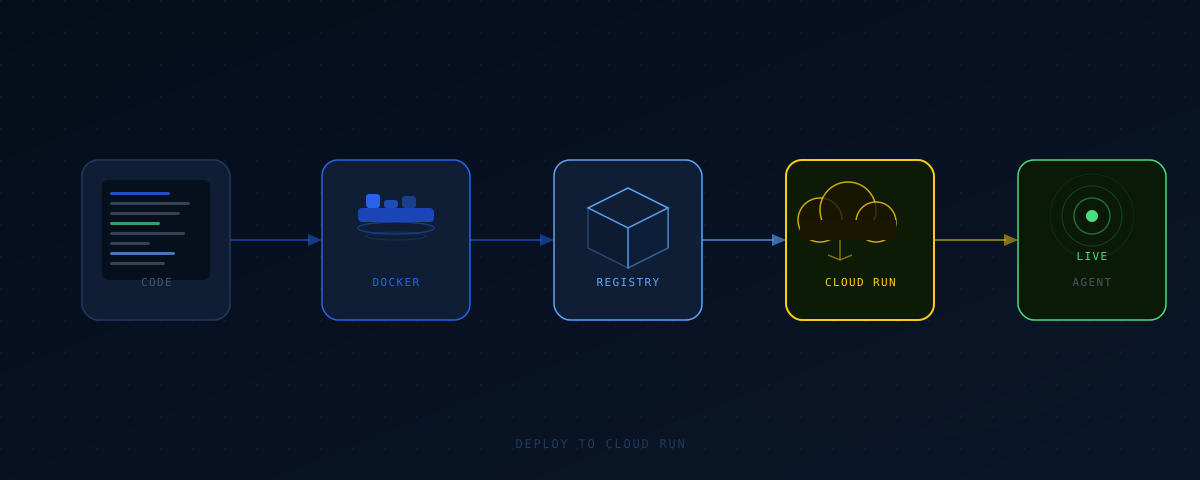
The ShawaMama ops bot handles 95-plus negative reviews a week, sends draft replies in under 5 minutes, and has been running without a restart since I deployed it. It's a Python FastAPI app, calls Claude via the Anthropic SDK, and lives on Google Cloud Run. No servers to babysit. No load balancers to configure. Deploy a container, set the concurrency, wire in the secrets — done.
This is the exact setup I use. Not a hello-world example — the actual structure I've run in production for agents that talk to external APIs, maintain conversation state, and handle webhook traffic from Telegram.
Why Cloud Run Works Well for AI Agents
AI agents have an awkward compute profile. Most of the time they're waiting: for the LLM to respond, for a database query, for a third-party API to come back. Idle containers cost nothing on Cloud Run. You pay per request, per CPU-second actually used.
Compare that to a VM. A VM runs 24/7 whether it's processing or not. For a bot handling 50–200 requests a day with variable timing, that's wasteful. Cloud Run scales to zero automatically — staging environments, one-off webhooks, new deployments. If it gets no traffic, it costs nothing.
Cold starts are the tradeoff. A cold start for a Python FastAPI container is usually 1–3 seconds. For a Telegram bot or background job runner, that's acceptable. For a user-facing API where p99 latency matters, set a minimum instance count of 1 to keep one container warm at all times.
Project Structure
Keep agent logic out of main.py. The FastAPI app handles HTTP concerns. The agent module owns conversation logic and tool calls. Tools are their own file.
my-agent/
├── Dockerfile
├── requirements.txt
├── main.py          # FastAPI app — routing, parsing, responding
├── agent.py         # Agent logic, tool definitions, Claude calls
├── tools.py         # Individual tool implementations
└── config.py        # Environment variable loading
This separation matters at deployment time too. A clear module boundary means you can test agent.py in isolation without starting the HTTP server, and you can swap the transport layer (Telegram webhook vs. REST API) without touching the agent logic.
The Dockerfile
Python 3.12, slim base, non-root execution. This is the Dockerfile I use across agents:
FROM python:3.12-slim

WORKDIR /app

COPY requirements.txt .
RUN pip install --no-cache-dir -r requirements.txt

COPY . .

RUN adduser --disabled-password --gecos "" appuser
USER appuser

CMD ["uvicorn", "main:app", "--host", "0.0.0.0", "--port", "8080"]
Two things worth noting. Copy requirements.txt before COPY . . — Docker caches layers. If you copy everything at once, every code change invalidates the pip install layer. Split it and pip only runs when requirements actually change. Second, the non-root user. Cloud Run doesn't require it, but it's good practice for anything handling API keys or external data.
Port 8080 is what Cloud Run expects by default. You can override it with --port in the deploy command, but 8080 avoids one extra config decision.
Building and Pushing to Artifact Registry
Artifact Registry is where the container image lives before Cloud Run pulls it. Create a repository first:
gcloud artifacts repositories create my-agent-repo \
  --repository-format=docker \
  --location=us-central1
Authenticate Docker, then build and push:
gcloud auth configure-docker us-central1-docker.pkg.dev

docker build -t us-central1-docker.pkg.dev/YOUR_PROJECT/my-agent-repo/my-agent:latest .
docker push us-central1-docker.pkg.dev/YOUR_PROJECT/my-agent-repo/my-agent:latest
In CI (GitHub Actions, Cloud Build), use a service account with roles/artifactregistry.writer instead of personal credentials. Don't pipe your gcloud auth through CI workflows.
The Deployment Command
With the image pushed, deploy:
gcloud run deploy my-agent \
  --image us-central1-docker.pkg.dev/YOUR_PROJECT/my-agent-repo/my-agent:latest \
  --region us-central1 \
  --platform managed \
  --allow-unauthenticated \
  --port 8080 \
  --memory 512Mi \
  --cpu 1 \
  --concurrency 10 \
  --timeout 60
A few choices worth thinking through. --allow-unauthenticated is right for a Telegram webhook or a public API. If this is an internal service that only other GCP services call, drop this flag and use service-to-service auth instead — it's one IAM binding and it's more secure.
--concurrency 10 means one instance handles up to 10 simultaneous requests. For an agent spending most of its time waiting on Claude (network I/O), this is fine. CPU-bound agents should drop to 1 or 2.
--timeout 60 works for standard agent calls. Claude responses usually land in 3–15 seconds. Bump this if you're building streaming responses or long-running tool chains. Cloud Run's maximum is 3600 seconds.
Secrets and Environment Variables
Never put API keys in the Dockerfile. Never hardcode them in config.py. Cloud Run has two mechanisms: environment variables for non-sensitive config, and Secret Manager for keys and credentials.
For the Anthropic API key:
# Create the secret
echo -n "sk-ant-..." | gcloud secrets create ANTHROPIC_API_KEY \
  --data-file=-

# Grant your Cloud Run service account access
gcloud secrets add-iam-policy-binding ANTHROPIC_API_KEY \
  --member="serviceAccount:YOUR_SA@YOUR_PROJECT.iam.gserviceaccount.com" \
  --role="roles/secretmanager.secretAccessor"
Reference it in the deploy command:
gcloud run deploy my-agent \
  --image ... \
  --set-secrets ANTHROPIC_API_KEY=ANTHROPIC_API_KEY:latest
Cloud Run injects the secret as an environment variable at runtime. In Python, os.environ.get("ANTHROPIC_API_KEY") picks it up. Same pattern for Telegram tokens, Postgres connection strings, anything external. Nothing sensitive goes in the image.
Handling Webhooks Without Blocking
Claude API calls take 3–15 seconds. Telegram webhooks expect a 200 response within a few seconds or they retry. Don't make Telegram wait for the agent to finish. Respond immediately, process asynchronously.
from fastapi import FastAPI, BackgroundTasks

app = FastAPI()

@app.post("/webhook")
async def telegram_webhook(update: dict, background_tasks: BackgroundTasks):
    background_tasks.add_task(process_update, update)
    return {"ok": True}

async def process_update(update: dict):
    # Run agent, send result back via Telegram Bot API
    response = await run_agent(update["message"]["text"])
    await send_telegram_message(update["message"]["chat"]["id"], response)
BackgroundTasks keeps the worker alive after the HTTP response returns. Telegram gets its 200 immediately. The agent runs in the background. This is exactly the pattern the ShawaMama bot uses for review processing.
For jobs running longer than 30 seconds, consider Cloud Tasks instead. Background tasks inside a Cloud Run instance aren't guaranteed to complete if the instance scales down before the work finishes.
Logging and Observability
Cloud Run captures stdout and stderr automatically, routing everything to Cloud Logging. Standard Python logging works out of the box:
import logging

logging.basicConfig(level=logging.INFO)
logger = logging.getLogger(__name__)

logger.info("Processing update", extra={"chat_id": chat_id, "tool_calls": len(tool_calls)})
Structured JSON logging makes filtering in Cloud Logging much cleaner. Install google-cloud-logging and call google.cloud.logging.Client().setup_logging() — it handles the JSON formatting automatically.
Add request tracing from day one. You will need it. At some point one webhook call will take 45 seconds when the others take 8, and structured logs with a trace ID are the only way to figure out why.
Set up a Cloud Monitoring alert on 5xx error rate before you go live. Two hours of silent failures is a bad way to learn your agent is broken.
Frequently Asked Questions
How much does Cloud Run cost for a low-traffic AI agent?
For a bot handling a few hundred requests per day, you'll likely stay within the Cloud Run free tier: 2 million requests per month, 360,000 GB-seconds of memory, 180,000 vCPU-seconds. The Anthropic API costs are almost certainly the bigger line item. At $3 per million output tokens for Claude Sonnet, even a high-traffic agent usually runs under $20/month on LLM costs.
Should I use Cloud Run or a VM for a production AI agent?
Cloud Run for most cases. It handles scaling, zero-idle billing, and deployment with minimal config. Use a VM if you need persistent local storage (Cloud Run is stateless), specific networking setups like connecting to on-prem systems, or you're running compute-heavy inference that needs dedicated CPU or GPU.
How do I handle database connections on Cloud Run?
Cloud SQL has a built-in proxy that integrates cleanly with Cloud Run. Use the Cloud SQL Python connector instead of a raw connection string — it handles auth without exposing credentials directly. Set your connection pool size to 5–10 per instance. Cloud Run can spin up multiple instances simultaneously, so plan your Postgres max_connections accordingly.
Can I deploy an AI agent that streams responses to Cloud Run?
Yes. Set --timeout high enough (up to 3600s) and use StreamingResponse in FastAPI. Cloud Run supports HTTP chunked transfer encoding for streaming. Add the --http2 flag for SSE efficiency.
What's the best way to test a Cloud Run deployment locally before pushing?
Run the container with Docker before pushing: docker run -p 8080:8080 -e ANTHROPIC_API_KEY=sk-ant-... my-agent:latest. For Telegram or other webhook integrations, use ngrok to tunnel localhost:8080 to a public URL. This catches container startup failures, missing environment variables, and import errors before they become a deployment problem.
Working on something similar?
I build AI agents and low-latency systems. If you're trying to solve a version of this, let's talk.
Get in touchAuthor: Joe Archondis — AI systems engineer and HFT infrastructure builder.
Last updated: 2026-06-26